Raccoon AI for Design
Create professional visual assets in minutes. From illustrations to product graphics, Raccoon AI generates polished designs for any creative need.
Curated examples of what you can create
History Study Guides
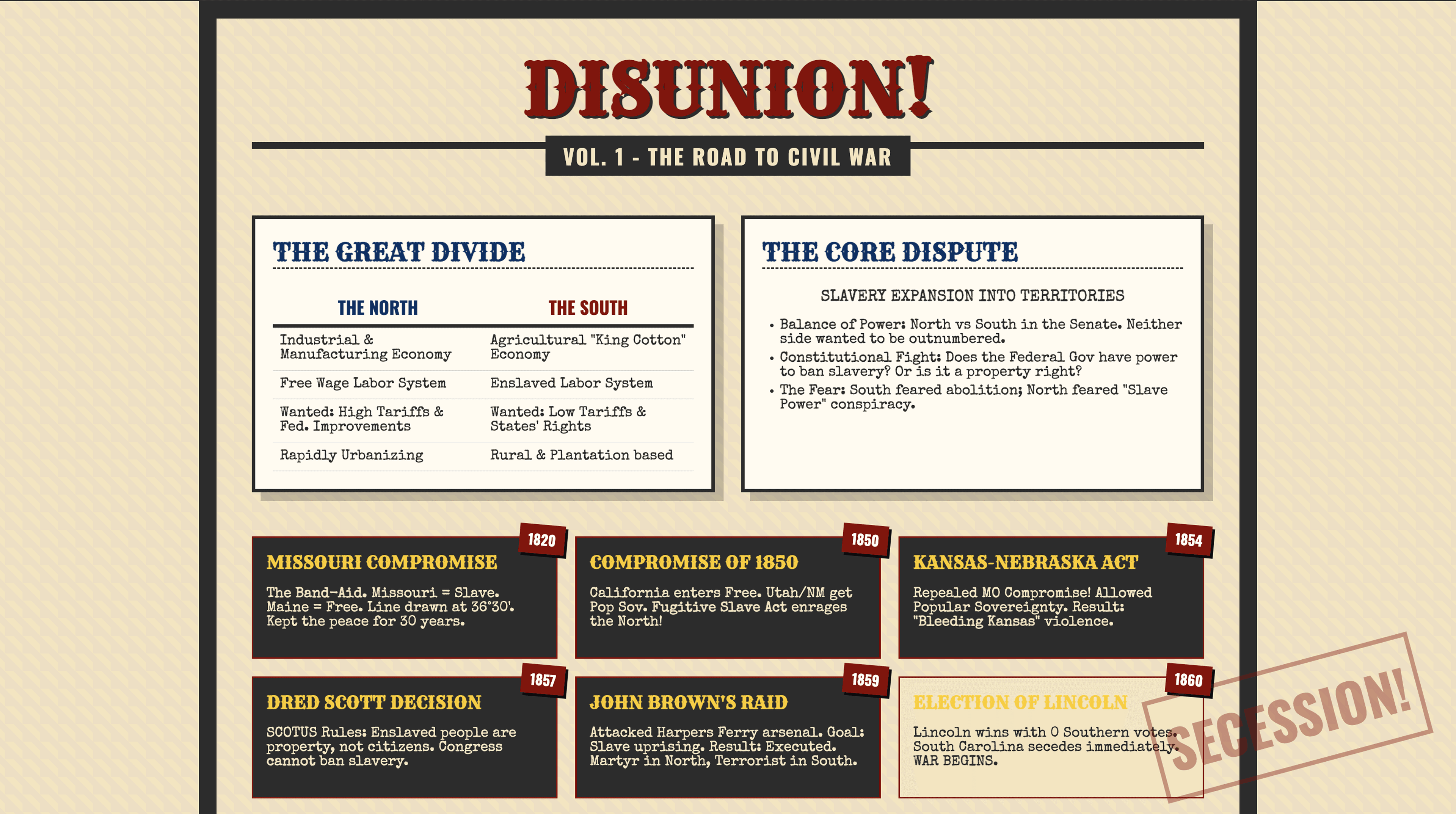
Concept one-pagers transforming dense notes into scannable visuals: Civil War, Colonial regions, and Reconstruction amendments breakdown.
Murder Mystery Kit
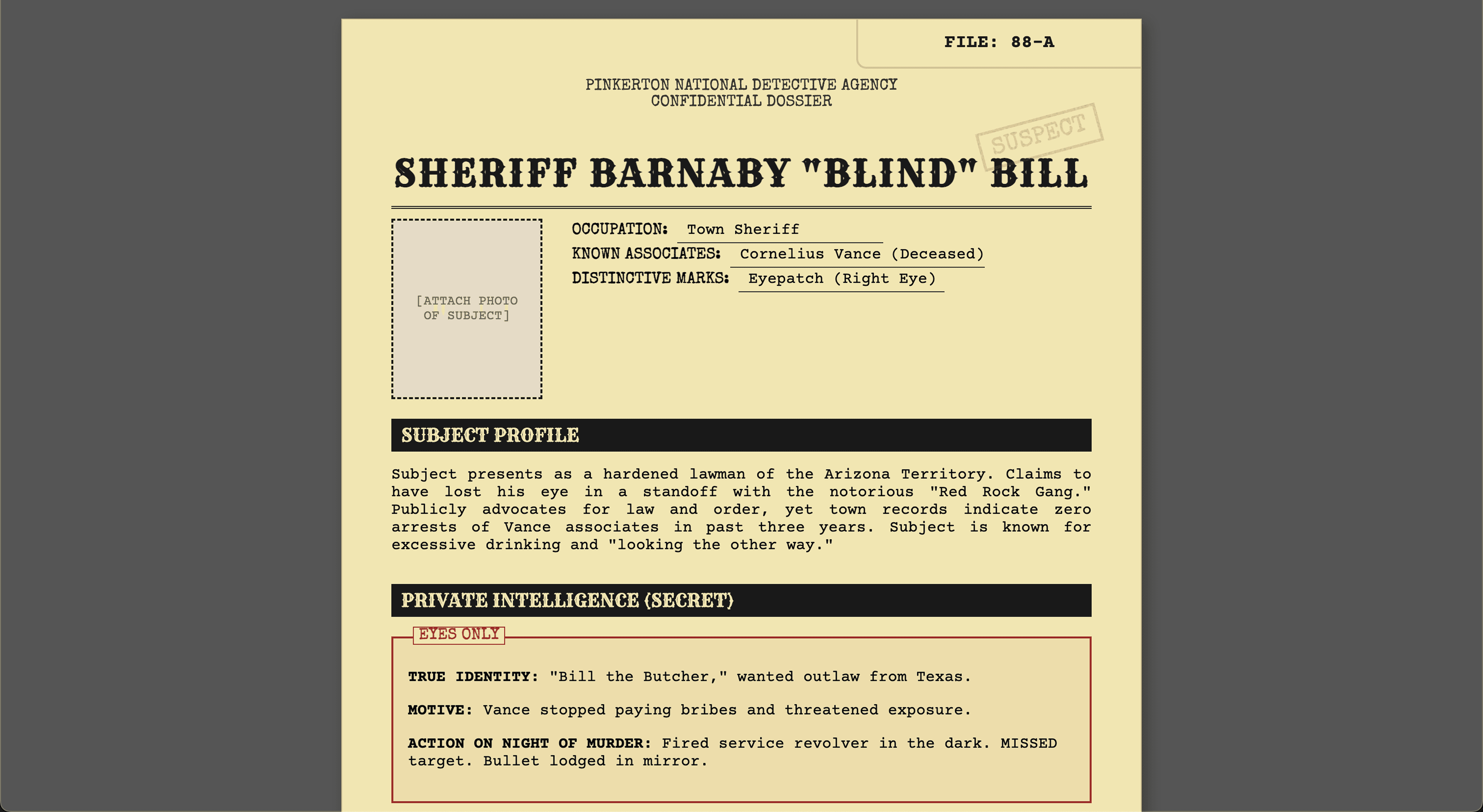
Complete murder mystery kit with 8 character dossiers, clue cards, evidence packets, timeline, host guide, and accusation forms. Ready to print and play.
Newsletter Kit
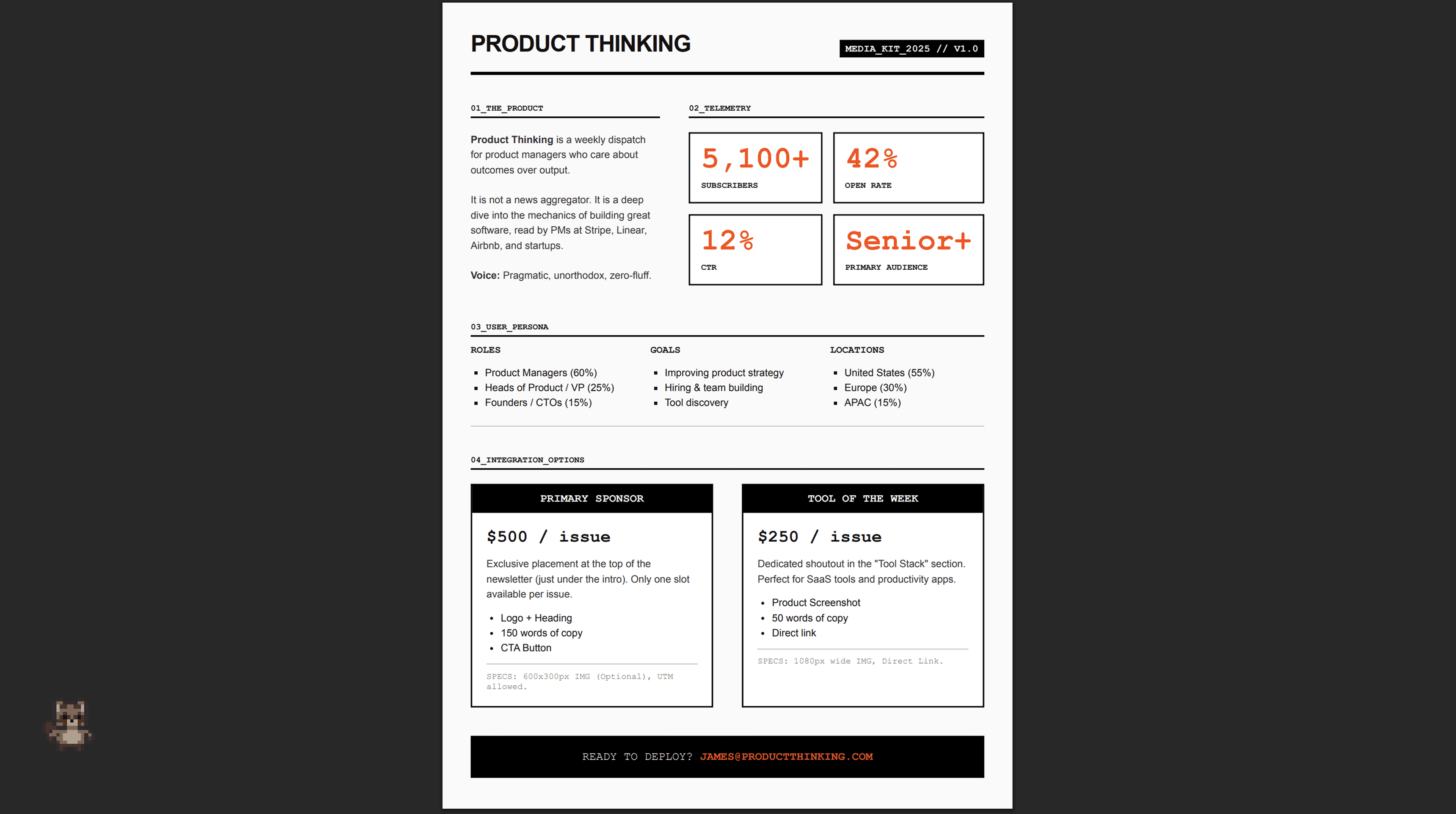
Newsletter design system with weekly template, welcome email sequence, sponsor one-pager, and annual digest PDF.
How to create design assets with Raccoon AI
Start with your prompt
Describe the visual assets you need and what they're for. Include the purpose, audience, style direction, and how the final pieces will be used.
Attach your reference materials
Upload sketches, photos, style references, or existing brand assets. Raccoon AI creates visuals grounded in your inputs, not generic clip-art aesthetics.
I teach AP US History at a public high school. Create 3 one-pagers for: Causes of civil war, Comparing colonial regions and Reconstruction amendments and their undoing. Make them fun for students to learn from instead of plain text documents.
 current_notes.txt
Review the designs
Raccoon AI generates the visual assets you requested. You'll see illustrations taking shape, layouts forming, and style being applied consistently across each piece.
Checkout your creation
What you get is polished and complete: finished illustrations, properly formatted files, and consistent styling throughout. Ready to present to clients, print, or publish.
Refine and improve
Your designs are ready to use, but iteration helps you refine them to exactly what you imagined. Ask Raccoon AI to adjust colors, modify a layout, add elements, or shift the visual approach.
Specific requests get better results
Instead of "make it better," try "add more contrast between the timeline sections" or "make the comparison chart easier to scan at a glance." The more precise your ask, the more precise the output.
This is where designs become yours
Initial output captures your direction. Follow-ups dial in the details that make it feel exactly right. Polished design packages generally go through a round or two of refinement.
Can you replace the icons with better image assets?
 colonial_regions_one_pager.pdf
Pro tips for best results
Define your style upfront
Include style direction in your initial prompt: "minimal and modern," "bold and colorful," "clean with strong hierarchy." Establishing the aesthetic early keeps everything consistent.
Provide your existing content
Notes, outlines, or rough drafts give Raccoon AI the substance to work with. The better your source material, the more accurate and useful the final design.
Mention the end use
Whether it's for print, screen, classroom handout, or digital distribution: the context helps Raccoon AI optimize sizing, detail level, and format for your actual needs.

Frequently asked questions
Create professional visual assets with AI-powered design. From illustrations and product graphics to brand materials and visual presentations, our intelligent design assistant handles everything from concept to finished assets. Discover how Raccoon AI can bring your creative vision to life.
Have more questions or looking for a different solution? Contact sales
Raccoon AI can create virtually any type of design: social media graphics, marketing materials, logos, infographics, educational visuals, document layouts, product mockups, brand kits, posters, flyers, and more. Whether you need a one-pager for class, assets for a marketing campaign, or a complete visual identity for your brand, it handles them all.
Yes! You can upload reference images, describe your desired style, or provide brand guidelines. Raccoon AI will match your visual direction and maintain consistency across all assets.
Designs can be generated in multiple formats, sizes and variants. You can ask Raccoon AI to provide images, vectors, PDFs, HTML and any such file formats. You can also request file formats required for importing in specific tools like Figma, Adobe Express, etc. Embedded support to directly export to Figma will be available soon.
Both! Raccoon AI can generate custom images, illustrations, infographics, videos, and other visual elements from scratch. It creates the complete visual package, not just layouts.
Not at all. Raccoon AI handles all design decisions including layout, typography, spacing, and visual hierarchy. Just describe what you need and it creates polished materials that look professionally designed.
That works! Start with your rough idea and Raccoon AI will help bring it to life. You can enhance and revise the designs as your ideas evolve, refining the output through conversation until it matches your vision.