Raccoon AI Data Analyst
Raw data को actionable insights में बदलें। Raccoon AI spreadsheets analyze करता है, visualizations बनाता है, और comprehensive reports generate करता है।
आप जो बना सकते हैं उसके क्यूरेटेड उदाहरण
इन्वेंटरी प्लानिंग
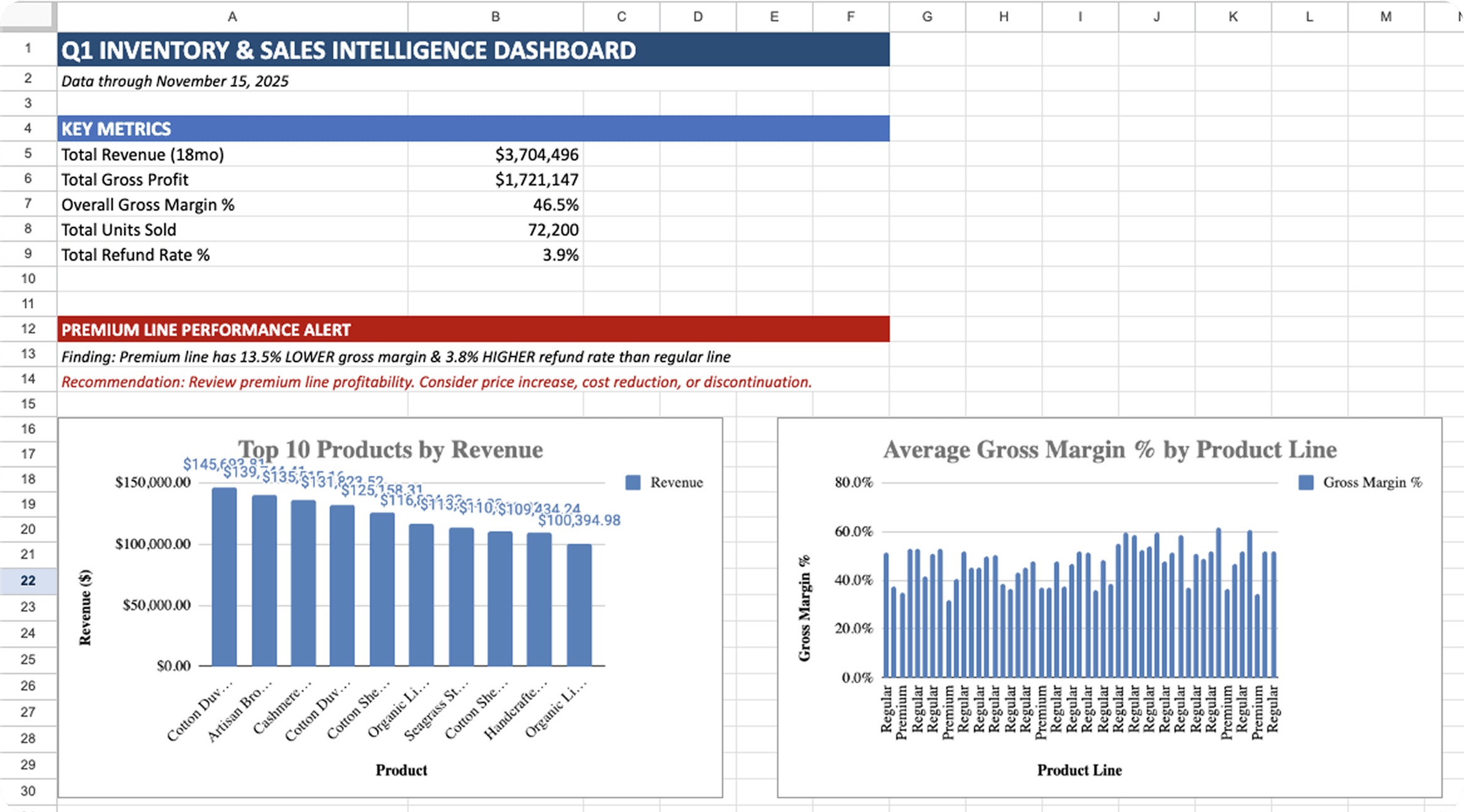
E-commerce inventory decisions के लिए Excel workbook जिसमें product performance, stock health metrics, seasonal patterns, और Q1 planning के लिए automated reorder calculations शामिल हैं।
चैनल एनालिटिक्स
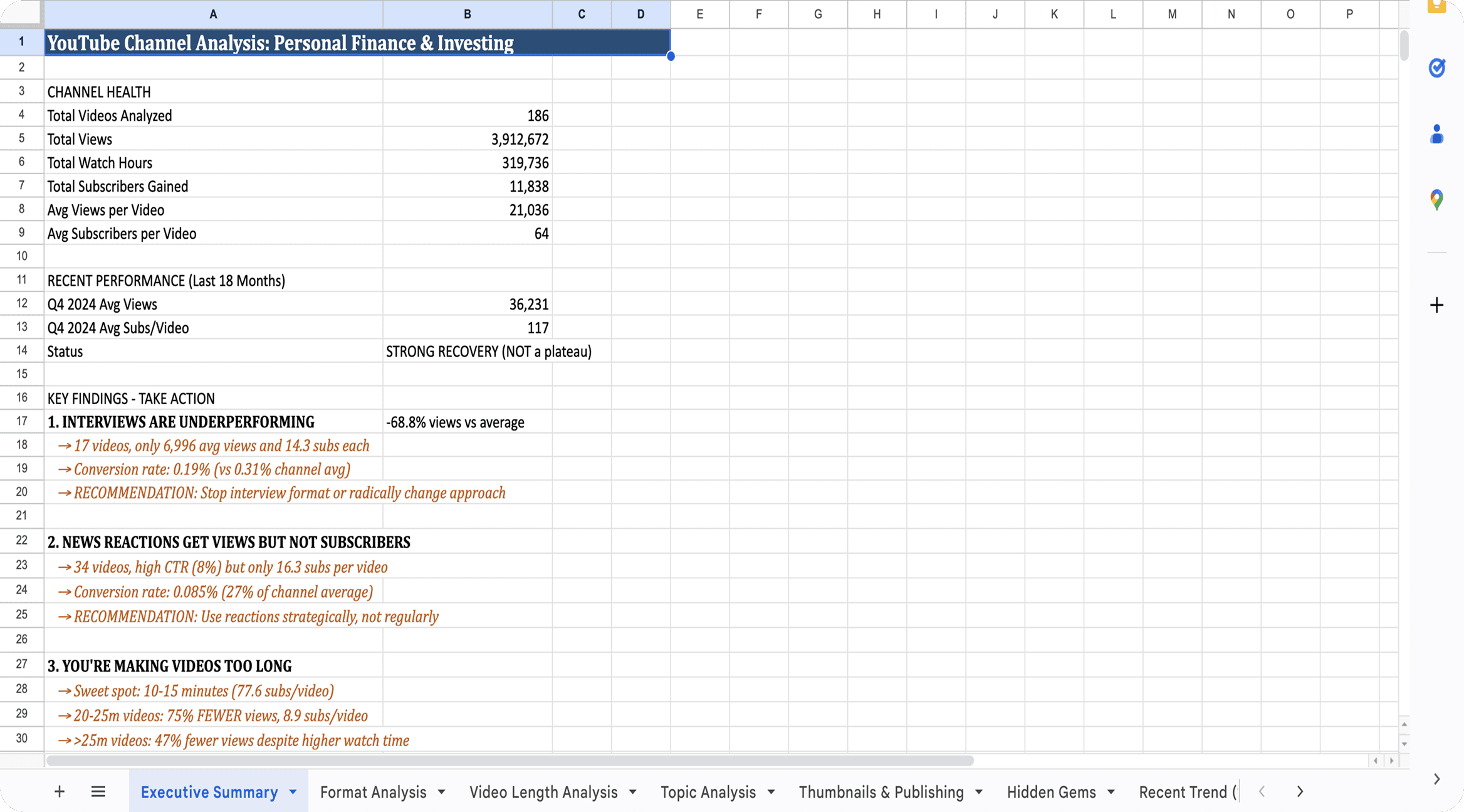
Comprehensive channel analysis workbook जिसमें format performance, watch time patterns, thumbnail effectiveness, और content strategy के लिए hidden gem identification शामिल है।
प्रोडक्ट रिक्वायरमेंट्स
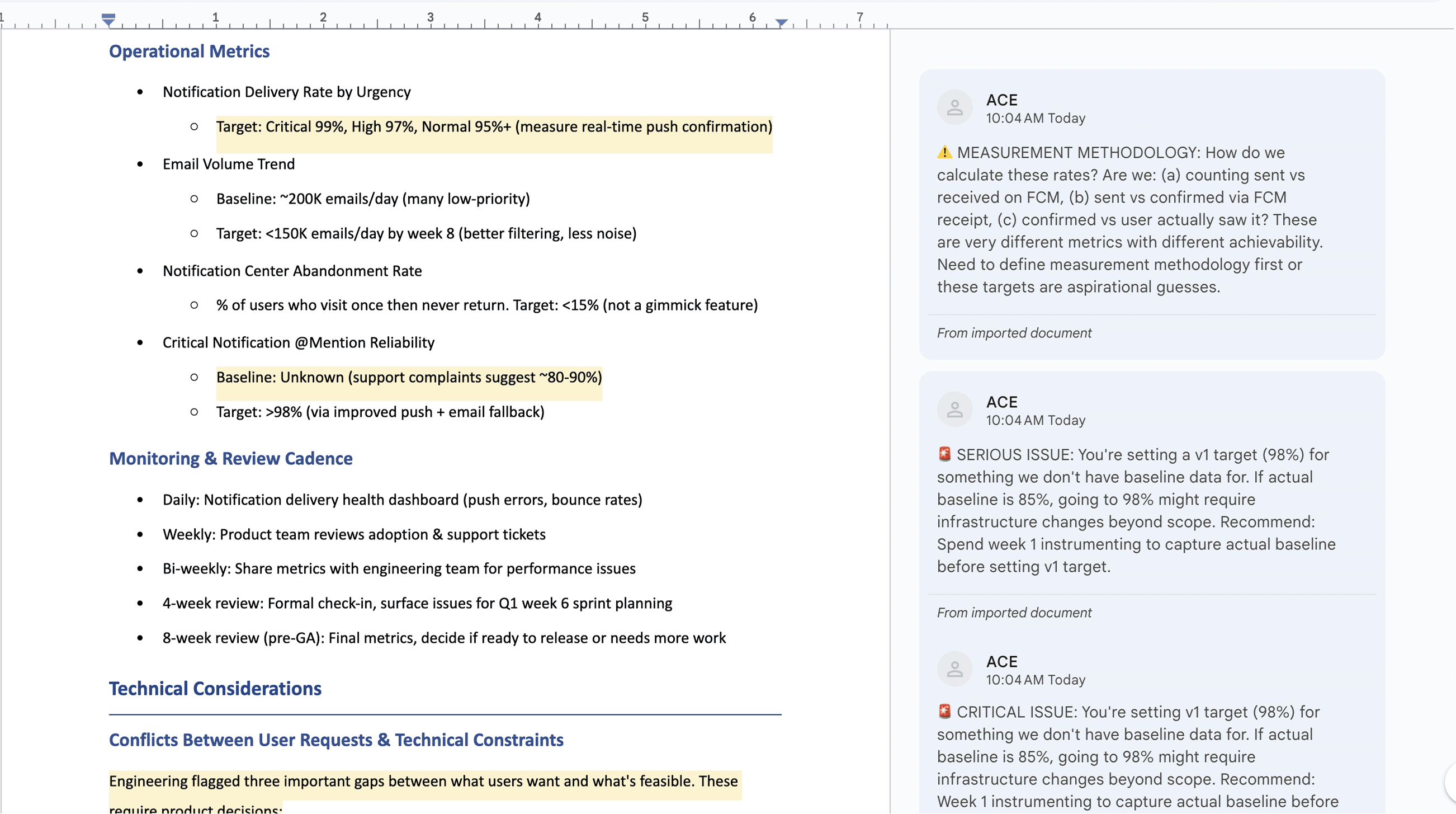
Complete product requirements document जो user research, competitive analysis, और technical constraints को actionable user stories में synthesize करता है जिनमें acceptance criteria शामिल हैं।
Raccoon AI के साथ data कैसे analyze करें
अपने prompt से शुरू करें
बताएं कि आपको अपने data से क्या सीखना है और इसे कौन से decisions inform करने चाहिए। Specific रहें उन questions के बारे में जिनके जवाब चाहिए, जो metrics matter करते हैं, और output कैसे structured चाहिए।
अपनी data files attach करें
Spreadsheets, exports, और documents upload करें जिनमें आपका data है। Raccoon AI आपकी actual files से directly insights pull करता है ताकि analysis आपके असली numbers पर based हो, generic templates पर नहीं।
मैं अपने Shopify home goods store के लिए smarter inventory decisions लेना चाहता हूं। Sales data analyze करके excel dashboard बनाओ। Include करो: - Product performance - Inventory health - Seasonal patterns - Customer geography Margins के लिए landed cost use करो और missing cost data वाले SKUs flag करो।
 shopify_orders_export.csvcurrent_inventory_levels.csv
अपने data को जीवंत होते देखें
Raccoon AI आपका data process करता है, patterns identify करता है, और requested analysis build करता है। आप real time में charts बनते, calculations run होते, और insights emerge होते देखेंगे।
आपको क्या मिलता है
Raccoon AI सभी ज़रूरी deliverables generate करता है: formatted workbooks, labeled charts, और written insights जो stakeholders के साथ share करने या decisions के लिए use करने के लिए ready हैं।
और गहराई में जाएं
आपकी analysis use करने के लिए ready है, लेकिन आप certain topics में deeper explore कर सकते हैं या output को exactly अपनी ज़रूरत के हिसाब से adjust कर सकते हैं। Raccoon AI से कहें किसी segment में drill करने, visualization जोड़ने, या finding reframe करने के लिए।
Specific requests से बेहतर results मिलते हैं
"इसे और analyze करो" की जगह, "product category wise margins break down करो" या "top 10 SKUs के seasonal trends का chart जोड़ो" try करें। Specific areas point out करने से Raccoon AI exactly वहां focus करता है जहां आपको चाहिए।
यहीं पर analysis powerful बनती है
Initial analysis आपके बताए सवालों का जवाब देती है। Follow-ups वो discover करते हैं जो आपको पता नहीं था कि पूछना है। कई बार सबसे valuable insights दूसरे या तीसरे round में unexpected patterns explore करने से आती हैं।
Cities और districts के हिसाब से revenue distribution दिखाने के लिए charts भी जोड़ो।
Best results के लिए pro tips
Quality bar पहले से set करें
अपने initial prompt में standards include करें: "statistical outliers flag करो," "percentages के साथ sample sizes include करो," "projections के लिए confidence ranges दिखाओ।" ये analysis को शुरू से guide करते हैं बजाय बाद में fixes की ज़रूरत पड़ने के।
Context analysis को smarter बनाता है
अगर certain months anomalies हैं, अगर कोई product line mid-year launch हुई, अगर pricing change की: बताएं। Raccoon AI data बेहतर interpret करता है जब उसे आपका business context समझ आता है।
"So what" पूछें
सिर्फ charts नहीं, actionable conclusions request करें। "Slow-moving inventory के बारे में मुझे क्या करना चाहिए बताओ" आपको "inventory turnover rates दिखाओ" से ज़्यादा आगे ले जाता है।

अक्सर पूछे जाने वाले सवाल
AI-powered analysis से अपने raw data को actionable insights में बदलें। हमारा intelligent data analyst statistical analysis से लेकर predictive forecasting तक सब कुछ handle करता है, CSV, Excel, और database files के साथ काम करता है। जानें कैसे Raccoon AI आपको faster data-driven decisions लेने में मदद कर सकता है।
और सवाल हैं या एक अलग सॉल्यूशन ढूंढ रहे हैं? सेल्स से संपर्क करें
कौन से data formats supported हैं?
Raccoon AI CSV, Excel (XLSX), JSON, SQL databases, और API connectors support करता है। आप files upload कर सकते हैं या live data sources से connect कर सकते हैं।
क्या यह large datasets handle कर सकता है?
हां! Raccoon AI millions of rows वाले datasets process कर सकता है, complex analysis perform करता है और efficiently visualizations बनाता है।
यह किस तरह की analysis perform कर सकता है?
Statistical analysis, trend detection, forecasting, clustering, correlation analysis, anomaly detection, और आपकी needs के based custom calculations।
क्या Raccoon AI अपना काम दिखाता है (formulas, methodology)?
हां! पूरा analysis process live होता है जिसमें use किए गए methods की details होती हैं। Scripts और supporting files आपके workspace में available हैं, और आप Raccoon AI से कह सकते हैं कि अपनी methodology explain करे या supporting documentation prepare करे।
क्या यह visualizations बना सकता है, statistical tests run कर सकता है, और predictions कर सकता है?
बिल्कुल! Raccoon AI charts और visualizations बना सकता है, statistical tests (regression, ANOVA, correlation) run कर सकता है, outliers और anomalies detect कर सकता है, messy data clean कर सकता है, और forecasts generate कर सकता है और भी बहुत कुछ।