Raccoon AI for Design
मिनटों में professional visual assets बनाएं। Illustrations से लेकर product graphics तक, Raccoon AI किसी भी creative need के लिए polished designs generate करता है।
आप जो बना सकते हैं उसके क्यूरेटेड उदाहरण
हिस्ट्री स्टडी गाइड्स
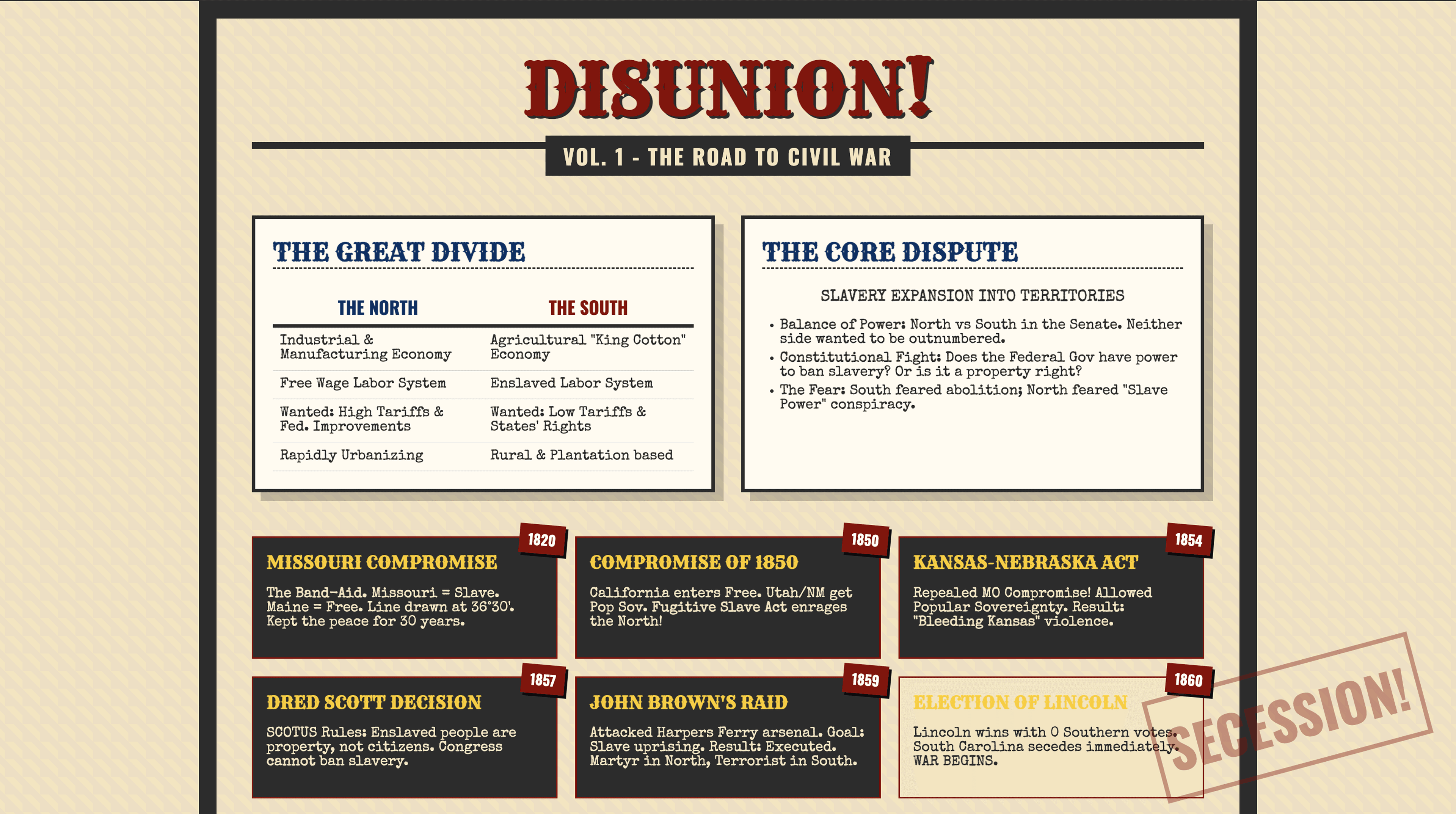
Dense notes को scannable visuals में बदलने वाले concept one-pagers: Civil War, Colonial regions, और Reconstruction amendments breakdown।
मर्डर मिस्ट्री किट
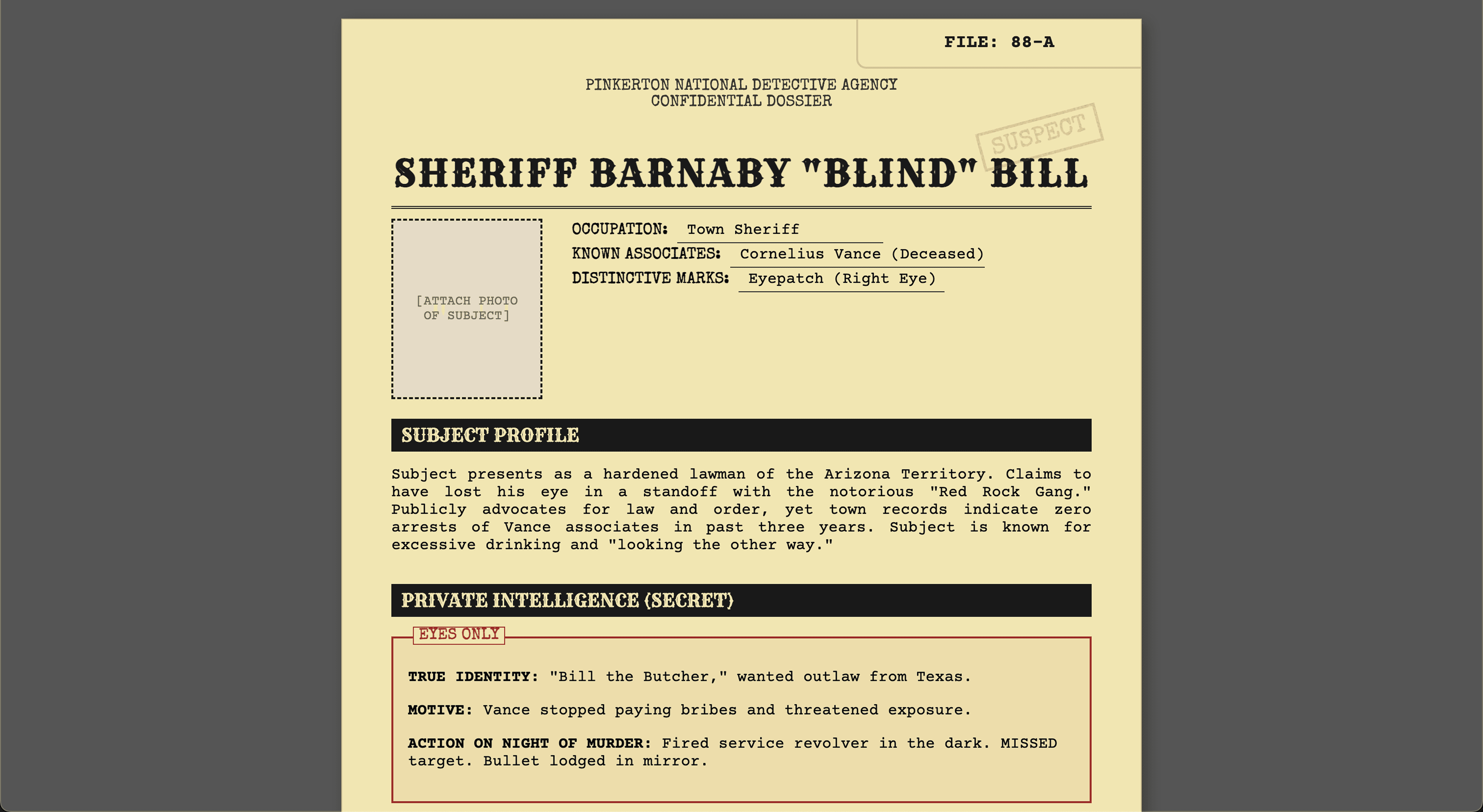
Complete murder mystery kit जिसमें 8 character dossiers, clue cards, evidence packets, timeline, host guide, और accusation forms हैं। Print करके खेलने के लिए तैयार।
न्यूज़लेटर किट
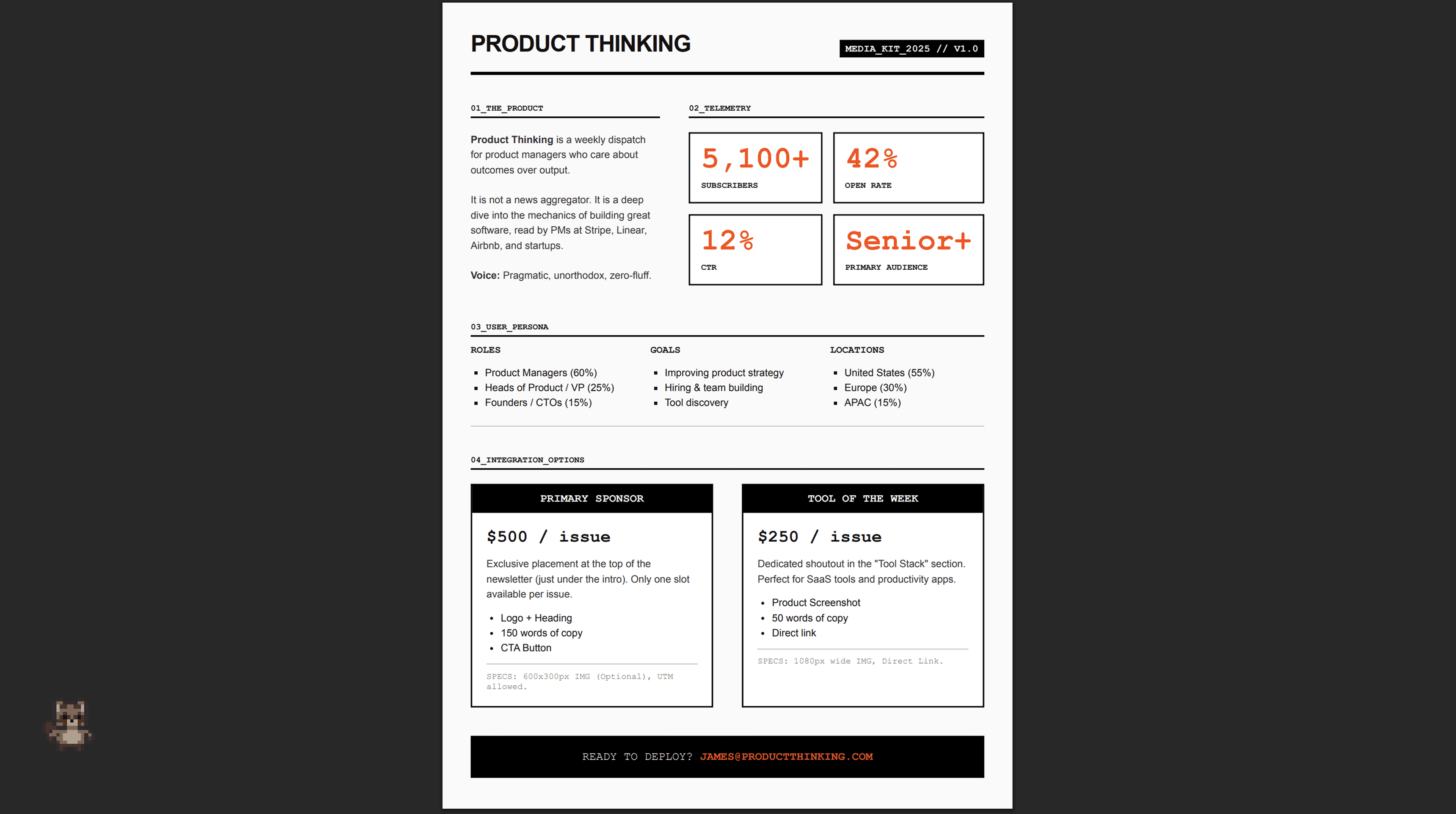
Newsletter design system जिसमें weekly template, welcome email sequence, sponsor one-pager, और annual digest PDF शामिल है।
Raccoon AI के साथ design assets कैसे बनाएं
अपने prompt से शुरू करें
बताएं आपको कौन से visual assets चाहिए और किसके लिए। Purpose, audience, style direction, और final pieces कैसे use होंगे include करें।
अपनी reference materials attach करें
Sketches, photos, style references, या existing brand assets upload करें। Raccoon AI आपके inputs से grounded visuals बनाता है, generic clip-art aesthetics से नहीं।
मैं एक public high school में AP US History पढ़ाता हूं। 3 one-pagers बनाओ: Causes of civil war, Comparing colonial regions और Reconstruction amendments and their undoing। इन्हें plain text documents की जगह students के लिए सीखने में मज़ेदार बनाओ।
 current_notes.txt
Designs review करें
Raccoon AI आपके request किए visual assets generate करता है। आप illustrations shape लेते, layouts form होते, और style consistently apply होता देखेंगे।
अपनी creation check करें
जो मिलता है वो polished और complete है: finished illustrations, properly formatted files, और throughout consistent styling। Clients को present करने, print करने, या publish करने के लिए ready।
Refine और improve करें
आपके designs use करने के लिए ready हैं, लेकिन iteration उन्हें exactly वैसा refine करने में मदद करती है जैसा आपने imagine किया था। Raccoon AI से colors adjust करने, layout modify करने, elements जोड़ने, या visual approach shift करने को कहें।
Specific requests से बेहतर results मिलते हैं
"इसे बेहतर बनाओ" की जगह, "timeline sections के बीच more contrast जोड़ो" या "comparison chart को एक नज़र में scan करने में आसान बनाओ" try करें। जितना precise ask, उतना precise output।
यहीं पर designs आपकी बनती हैं
Initial output आपकी direction capture करता है। Follow-ups वो details dial in करते हैं जो exactly right feel कराते हैं। Polished design packages generally एक-दो rounds of refinement से गुज़रते हैं।
क्या तुम icons को better image assets से replace कर सकते हो?
 colonial_regions_one_pager.pdf
Best results के लिए pro tips
Style पहले define करें
Apने initial prompt में style direction include करें: "minimal और modern," "bold और colorful," "clean with strong hierarchy।" Aesthetic early establish करने से सब consistent रहता है।
अपना existing content provide करें
Notes, outlines, या rough drafts Raccoon AI को substance देते हैं काम करने के लिए। आपकी source material जितनी बेहतर, final design उतना accurate और useful।
End use बताएं
Chाहे print के लिए हो, screen, classroom handout, या digital distribution: context Raccoon AI को आपकी actual needs के लिए sizing, detail level, और format optimize करने में मदद करता है।

अक्सर पूछे जाने वाले सवाल
AI-powered design से professional visual assets बनाएं। Illustrations और product graphics से लेकर brand materials और visual presentations तक, हमारा intelligent design assistant concept से finished assets तक सब handle करता है। जानें कैसे Raccoon AI आपकी creative vision को life में ला सकता है।
और सवाल हैं या एक अलग सॉल्यूशन ढूंढ रहे हैं? सेल्स से संपर्क करें
Raccoon AI किस तरह के designs बना सकता है?
Raccoon AI virtually किसी भी तरह का design बना सकता है: social media graphics, marketing materials, logos, infographics, educational visuals, document layouts, product mockups, brand kits, posters, flyers, और बहुत कुछ। चाहे आपको class के लिए one-pager चाहिए, marketing campaign के लिए assets, या अपने brand के लिए complete visual identity, यह सब handle करता है।
क्या मैं style और aesthetic preferences specify कर सकता हूं?
हां! आप reference images upload कर सकते हैं, अपनी desired style describe कर सकते हैं, या brand guidelines provide कर सकते हैं। Raccoon AI आपकी visual direction match करेगा और सभी assets में consistency maintain करेगा।
Designs किन file formats में deliver होते हैं?
Designs multiple formats, sizes और variants में generate हो सकते हैं। आप Raccoon AI से images, vectors, PDFs, HTML और ऐसे किसी भी file format में माँग सकते हैं। Figma, Adobe Express, आदि जैसे specific tools में import के लिए required file formats भी request कर सकते हैं। Figma में directly export का embedded support जल्द available होगा।
क्या Raccoon AI images और illustrations generate करता है, या सिर्फ content format करता है?
दोनों! Raccoon AI scratch से custom images, illustrations, infographics, videos, और दूसरे visual elements generate कर सकता है। यह complete visual package बनाता है, सिर्फ layouts नहीं।
क्या professional results के लिए design experience चाहिए?
बिल्कुल नहीं। Raccoon AI layout, typography, spacing, और visual hierarchy सहित सभी design decisions handle करता है। बस describe करें आपको क्या चाहिए और यह polished materials बनाता है जो professionally designed दिखती हैं।
अगर मेरे पास सिर्फ rough idea है, detailed content नहीं?
चलेगा! अपने rough idea से शुरू करें और Raccoon AI उसे life में लाने में मदद करेगा। जैसे-जैसे आपके ideas evolve हों, आप designs enhance और revise कर सकते हैं, conversation के through output refine करते हुए जब तक यह आपकी vision से match न कर ले।