Raccoon AI Image Generator
Text prompts से stunning images बनाएं। Marketing visuals से concept art तक, Raccoon AI किसी भी creative need के लिए professional-quality images generate करता है।
आप जो बना सकते हैं उसके क्यूरेटेड उदाहरण
YouTube थंबनेल्स
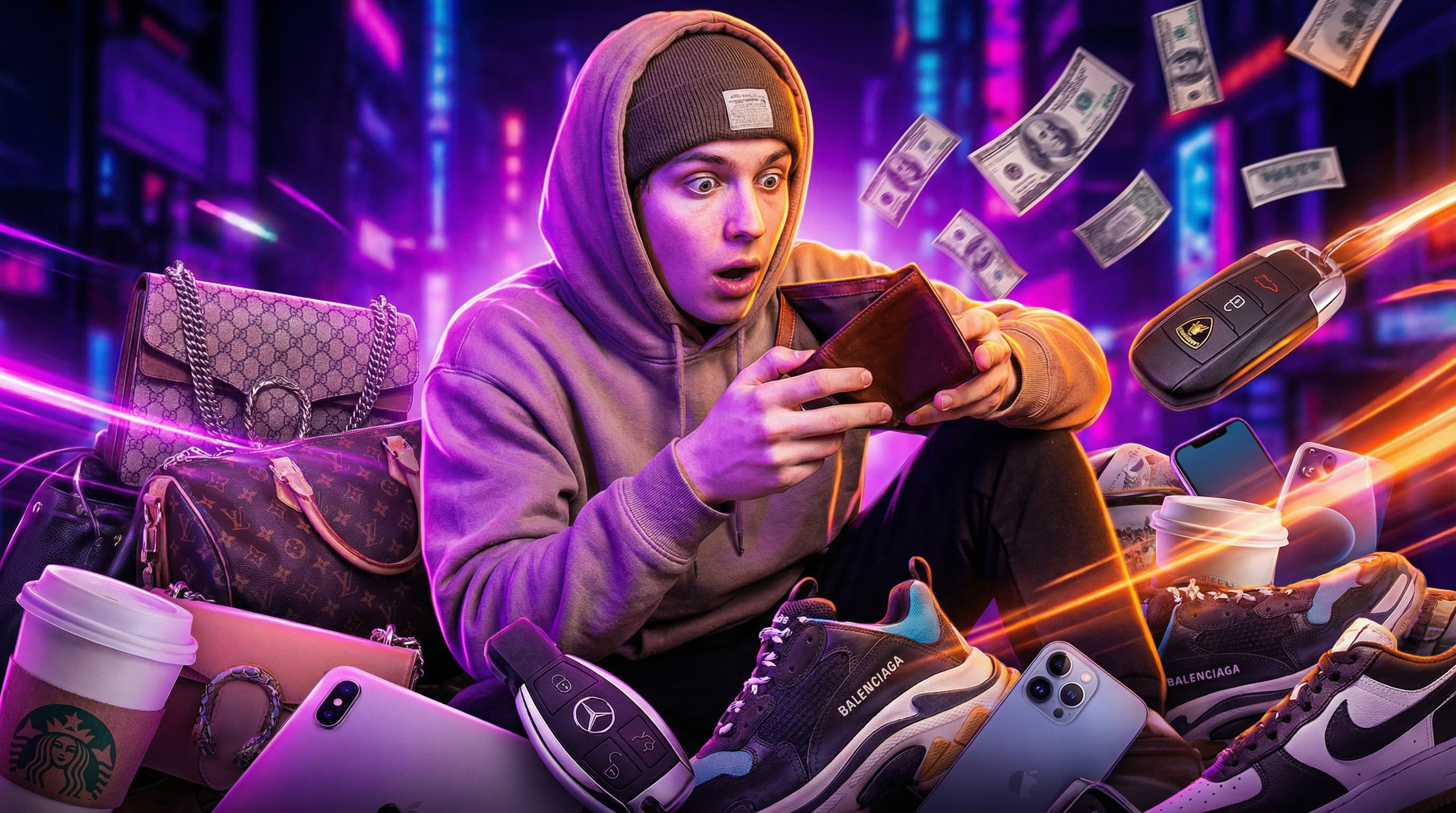
5-part personal finance series "Money Mistakes in Your 20s" के लिए thumbnail set जिसमें bold colors, expressive faces, और सभी videos में consistent branding है।
वर्चुअल स्टेजिंग
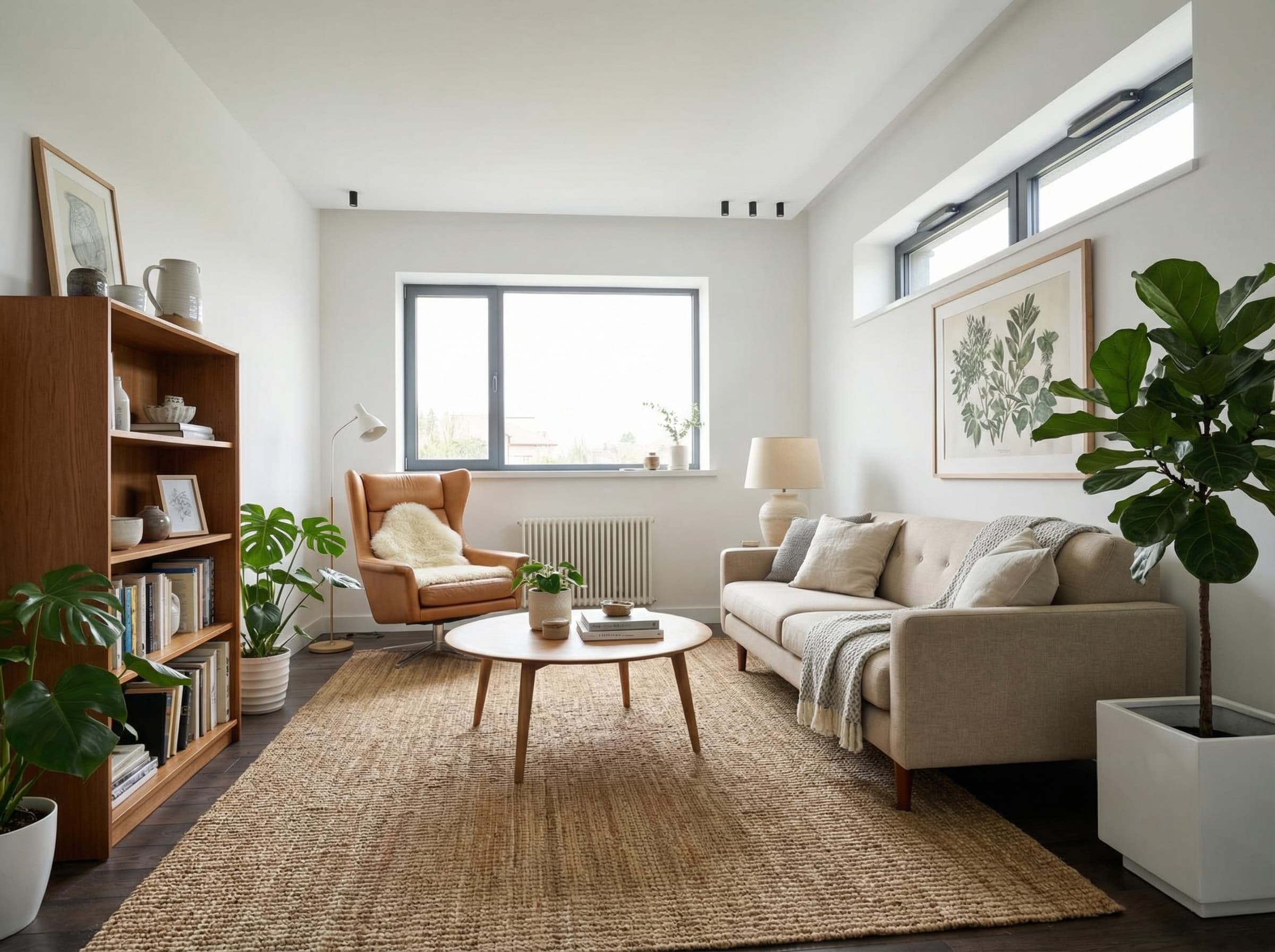
खाली apartment photos को young professionals को target करते हुए fully furnished rooms में transform किया गया। Modern furniture, realistic lighting, real estate listings के लिए तैयार।
मेन्यू फ़ूड फोटोग्राफी
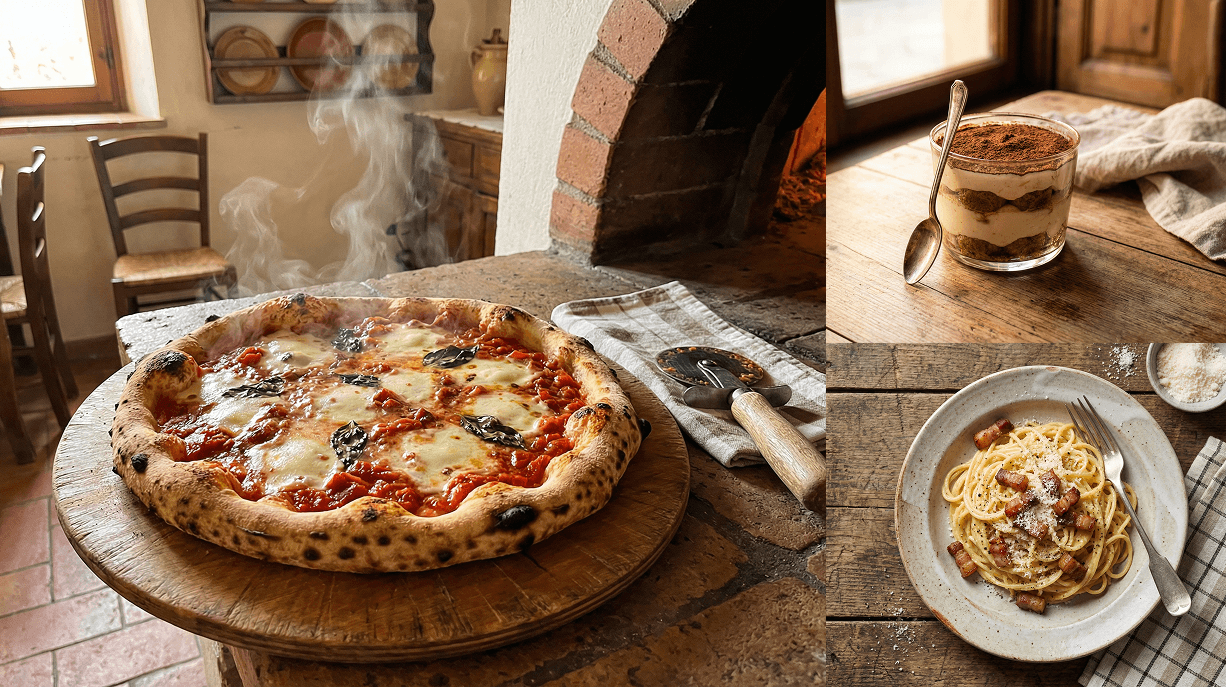
इटैलियन रेस्टोरेंट मेन्यू के लिए मुँह में पानी लाने वाली डिश फोटोज़: मार्गेरिटा पिज़्ज़ा, कार्बोनारा, तिरामिसू, ब्रुस्केटा, और रिसोट्टो — गर्म, रस्टिक ट्रैटोरिया स्टाइल में।
Raccoon AI के साथ images कैसे बनाएं
बताएं आपको क्या चाहिए
Raccoon AI को बताएं आपको क्या चाहिए। अगर existing photos edit या transform कर रहे हैं तो images upload करें, या बस describe करें कि scratch से क्या चाहते हैं।
Context मदद करता है
Bताएं किसके लिए है और कैसे use होगा। "Young professionals के लिए stage करो" या "एक rustic Italian restaurant के menu photos" - ये Raccoon AI को smart creative decisions लेने में मदद करते हैं।
मेरे पास empty apartments की photos हैं जिनमें ज़्यादा interest नहीं आ रहा। क्या तुम उन्हें virtually different relevant themes से stage कर सकते हो? Furniture और decor जोड़ो जो lived-in और aspirational feel कराए लेकिन cluttered नहीं। Realistic रखो - buyers को खुद को वहां imagine करना है। Walls का colour, layout और apartments का structure exactly same रखो।
 room_1.jpgroom_2.jpgroom_3.jpg
Review और iterate करें
Raccoon AI आपकी images generate करता है। Results review करें और follow-up prompts से refine करें।
Details dial in करें
Adjustments माँगें: "sofa ज़्यादा modern बनाओ," "warmer lighting," या "कुछ plants जोड़ो।" हर iteration आपको जो envision किया उसके closer ले जाती है।
Living room पसंद आया लेकिन क्या तुम sofa को mid-century modern से swap कर सकते हो? और इसे ज़्यादा alive feel कराने के लिए कुछ plants जोड़ो।
Scratch से generate करें
Reference images नहीं हैं? Describe करें क्या चाहते हैं और Raccoon AI scratch से बनाएगा।
Product photos, food photography, illustrations, social media graphics - subject, style, और mood describe करें।
मुझे हमारे new menu के लिए photos चाहिए। इनके appetizing photos बनाओ: margherita pizza, carbonara, tiramisu, bruschetta, और risotto। Style: warm, rustic Italian trattoria vibe। ऊपर से या 45 degrees से shot। Delicious लेकिन authentic दिखें - fast food ads जैसे overly styled नहीं।
Image sets बनाएं
Consistent style में multiple images चाहिए? Series describe करें और Raccoon AI matching images generate करेगा।
YouTube thumbnails, product variations, social campaigns - one-off images की जगह एक cohesive set पाएं।
"Money Mistakes in Your 20s" नाम की 5-part series के हर video के लिए thumbnail images चाहिए। Topics: 401k, lifestyle creep, credit score, emergency fund, FOMO investing। Bold और clickable, सभी पांचों में same style।
Download करें और use करें
आपकी images download और use करने के लिए ready हैं। आप agent से different aspect ratios भी request कर सकते हैं: Instagram के लिए square, YouTube के लिए 16:9, stories के लिए portrait।
Pro tips
Reference images मदद करती हैं
ऐसी styles के examples upload करें जो आपको पसंद हैं। एक reference paragraphs of description से ज़्यादा communicate करती है।
Iterate करें, restart नहीं
Aगर image 80% सही है, तो regenerate करने की जगह specific changes माँगें। "Warmer lighting" "try again" से बेहतर है।

अक्सर पूछे जाने वाले सवाल
Text descriptions से professional images बनाएं। Raccoon AI photos, illustrations, concept art, और marketing visuals किसी भी creative need के लिए generate करता है। यहां AI image generation के बारे में आम सवालों के जवाब हैं।
और सवाल हैं या एक अलग सॉल्यूशन ढूंढ रहे हैं? सेल्स से संपर्क करें
Raccoon AI किस तरह की images बना सकता है?
Virtually किसी भी तरह की: product photography, marketing visuals, social media graphics, concept art, illustrations, portraits, landscapes, abstract art, logos, icons, और बहुत कुछ। Raccoon AI photorealistic images, stylized illustrations, और बीच में सब कुछ handle करता है।
क्या मैं images commercially use कर सकता हूं?
हां। Raccoon AI से generate की गई images आपकी हैं, किसी भी purpose के लिए use करें, commercial projects सहित। Output पर आपके full rights हैं।
क्या मैं image के specific parts edit कर सकता हूं?
हां। Describe करें क्या बदलना है और Raccoon AI बाकी preserve करते हुए उस specific area को edit करेगा। Objects remove कर सकते हैं, backgrounds बदल सकते हैं, colors adjust कर सकते हैं, canvas extend कर सकते हैं, और targeted modifications कर सकते हैं।
कौन से image resolutions available हैं?
Raccoon AI आपकी needs के हिसाब से various resolutions में images generate करता है। Web और social media, print, large-format use, आदि के लिए विभिन्न resolutions request कर सकते हैं।
Multiple images में consistent style कैसे पाएं?
अपने previous outputs reference करें और consistent prompt language use करें। Style guide करने के लिए reference images भी upload कर सकते हैं, या variations generate करते समय Raccoon AI से "previous image की style match करो" कह सकते हैं।
Prompts कितने detailed होने चाहिए?
ज़्यादा detail generally बेहतर results देता है। Subject, style, mood, lighting, composition, colors, और कोई भी specific details जो matter करती हैं include करें।
क्या मैं reference images upload कर सकता हूं?
हां। Style, composition, या subject matter guide करने के लिए images upload करें। Reference images Raccoon AI को descriptions से ज़्यादा तेज़ी से आपकी vision समझने में मदद करती हैं। आप जो चाहते हैं उसके अलग-अलग aspects के लिए multiple images reference कर सकते हैं।